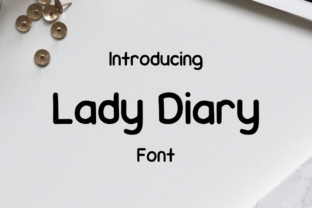
Lady Diary: A Stylish Font for Modern Designers
If you're looking for a font that combines elegance with simplicity, Lady Diary might be just what you need. This rounded sans serif font is ideal for a wide range of design projects, from branding to digital content. Its clean lines and soft curves make it both modern and approachable, perfect for anyone aiming to add a touch of sophistication without complicating their design.
But while Lady Diary has a lot to offer, it's important to understand how to use it effectively. Many designers overlook key details that can impact the overall look and feel of their work. Let's explore what makes Lady Diary unique and how to avoid common pitfalls when using it.
What Is Lady Diary?
Lady Diary is a versatile, rounded sans serif typeface that blends a friendly aesthetic with a professional edge. It’s designed to be easy on the eyes and adaptable across different media. Whether you’re creating a logo, designing a website, or working on a print project, this font can enhance your visual storytelling without overwhelming the viewer.
Its rounded edges give it a gentle, inviting appearance, making it particularly well-suited for brands that want to communicate warmth and approachability. However, its simplicity also means it may not be the best choice for every project. Understanding its strengths and limitations is key to using it effectively.
Common Mistakes When Using Lady Diary
One of the most frequent mistakes is using Lady Diary in situations where a more formal or structured font would be more appropriate. While its casual look is appealing, it may not convey the professionalism needed for certain business contexts. For example, using it in a legal document or a corporate presentation could undermine the intended message.
Another common error is overusing the font. Since it’s visually pleasing, some designers might try to incorporate it too heavily in a single project. This can lead to a cluttered or unbalanced design. It’s important to use Lady Diary strategically—perhaps as a headline font or a secondary element rather than the main text.
Additionally, many users don’t consider the readability of Lady Diary in smaller sizes. While it looks great in large headings, it may become less legible when used in body text. Always test the font at different sizes to ensure it remains clear and easy to read, especially for digital content.
How to Avoid These Mistakes
To get the most out of Lady Diary, start by understanding the purpose of your design. Ask yourself: What message are you trying to convey? Who is your audience? If your goal is to create a warm, friendly brand identity, then Lady Diary can be an excellent choice. But if you're aiming for a more serious or traditional tone, you may need to pair it with a different font or use it sparingly.
Another practical tip is to experiment with different weights and styles. Lady Diary often comes in multiple variations, such as bold, light, or italic. Using these variations can help you maintain visual interest without relying too heavily on the same font throughout your design.
Finally, always preview your work in real-world conditions. Test how Lady Diary looks on different screens, in print, and at various sizes. This will help you catch any issues early and make adjustments before finalizing your project.
What to Check Before Using Lady Diary
Before incorporating Lady Diary into your design, check the licensing terms. Some fonts are free for personal use only, while others require a commercial license. Make sure you have the right to use the font in your specific context, whether it's for a blog, a business project, or a client’s work.
You should also verify the file formats available. Lady Diary may come in different formats such as OTF, TTF, or WOFF. Ensure that the version you download is compatible with your design software and the platforms where your work will be displayed.
Lastly, consider how Lady Diary will look alongside other fonts. It’s easy to fall in love with one font and forget about the rest of the typographic hierarchy. Pairing Lady Diary with a complementary font can create a more dynamic and professional look.
Realistic Examples of Better Choices
Instead of using Lady Diary for all text in a brochure, try pairing it with a more traditional sans serif like Helvetica or Arial for body copy. This creates a balanced contrast that enhances readability without sacrificing style.
If you're designing a website, use Lady Diary for headlines and buttons, but keep the body text in a more standard font. This approach maintains a cohesive look while ensuring the content remains accessible to all users.
For social media posts, consider using Lady Diary in combination with bold, geometric fonts to create a visually striking layout. This not only adds variety but also helps your content stand out in a crowded space.
Conclusion: Make Informed Decisions With Lady Diary
Lady Diary is a powerful tool for designers who want to add a touch of charm and modernity to their work. However, like any font, it requires thoughtful application to achieve the best results. By avoiding common mistakes, checking licensing and compatibility, and using it strategically, you can maximize its potential in your projects.
Remember, the goal of typography is to support the message and enhance the user experience. Lady Diary can be a valuable asset in that effort—if used correctly. Take the time to understand its characteristics and how they align with your design goals, and you’ll be well on your way to creating beautiful, effective work.